
Why We Built QuickAttach: What Selling Personalised Tarot Readings Taught Us
QuickAttach exists because our own Shopify stores sell personalised readings — a problem standard digital-download apps can not solve.
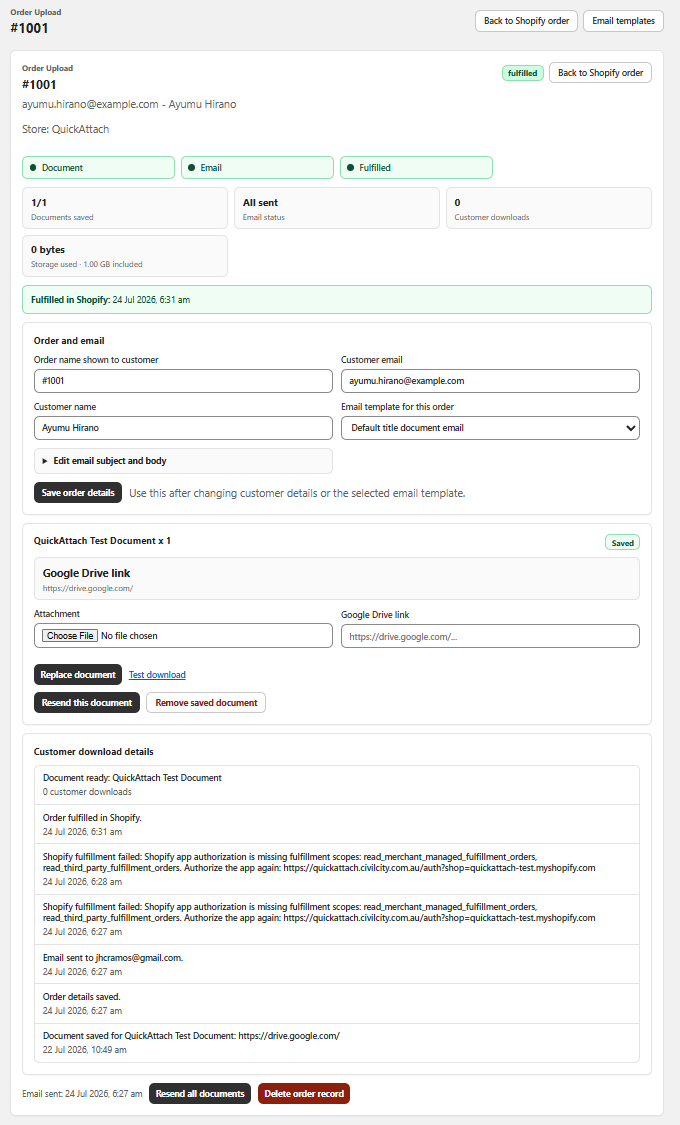
Shopify file delivery for renewals
Keep each new report, certificate, or plan matched to the renewal order that produced it.
Read article →Shopify app for order-specific files
What to look for when every customer needs a different file after checkout.
Read article →Shopify Digital Downloads vs. order-specific files
Choose the delivery model that fits your store when some files are created for one customer after checkout.
Read article →How to send a digital file when a Shopify order is fulfilled
Match the finished customer-specific file to the right order and deliver it with clear fulfillment context.
Read article →How to deliver secure customer-specific links on Shopify
Keep private destinations matched to the right Shopify order when the deliverable lives outside the store.
Read article →Shopify order-specific file delivery checklist
Keep personalized reports, certificates, proofs, and PDFs matched to the order that produced them.
Read article →Shopify customer files without email attachments
Keep customer-specific reports, certificates, proofs, and PDFs connected to the order instead of loose inbox attachments.
Read article →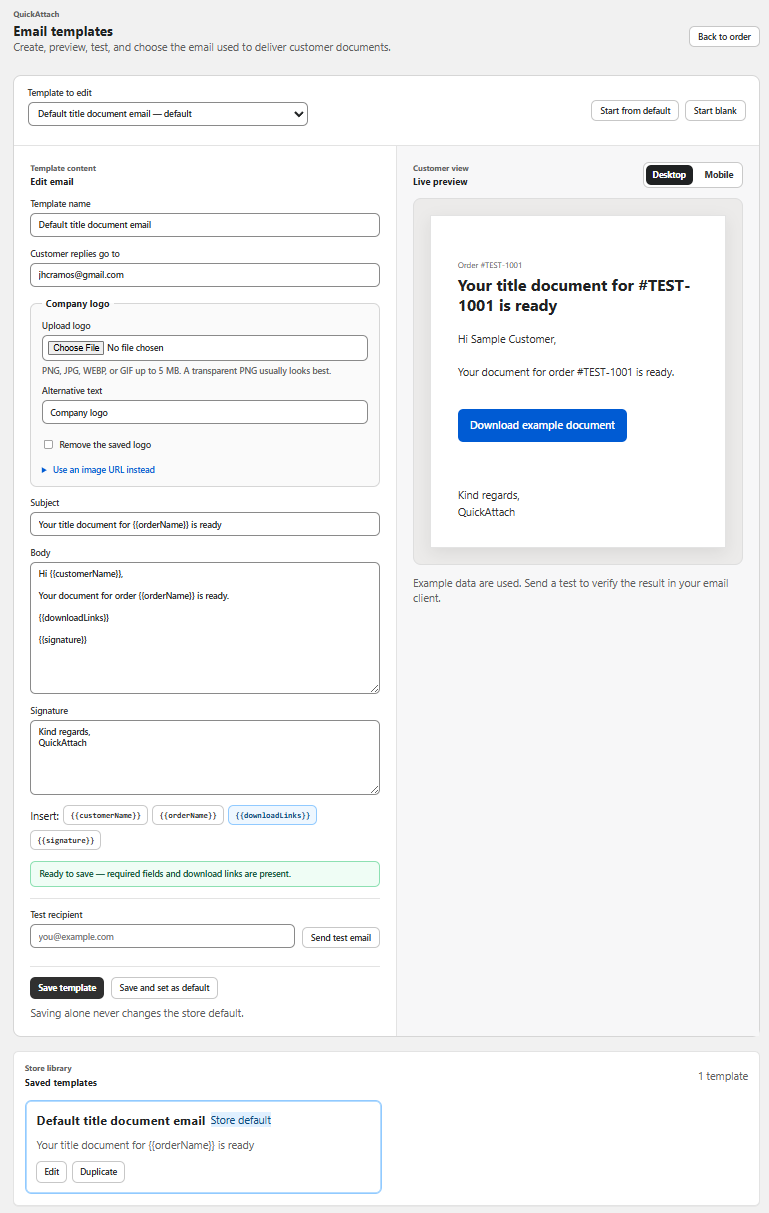
How to write a clear custom-file delivery email
Give customers the order context, download action, and support details they need when a custom file is ready.
Read article →Shopify app for personalized digital downloads
What to check when every customer needs a different report, PDF, certificate, or private link after checkout.
Read article →
How to send custom proofs to the correct Shopify customer
Create the proof after checkout, match it to the right order, and give the customer a clear path to receive it.
Read article →How to deliver customer-specific documents through Shopify
Keep each private report, certificate, proof, or document connected to the order that produced it.
Read article →How to deliver private documents through Shopify
Keep customer-specific documents connected to the order from preparation through re-download.
Read article →
Shopify Digital Downloads alternative for custom orders
Choose an order-specific workflow when every customer needs a different file after checkout.
Read article →Practical articles for stores that deliver custom files.
Short, specific guidance for Shopify merchants selling personalized reports, certificates, proofs, readings, private links, and other order-specific deliverables.
How to name custom Shopify files before delivery
Use order-first filenames to reduce wrong-file risk when every customer receives a different report, PDF, or certificate.
Read article →How to replace a custom Shopify file
Update a customer-specific PDF, record the revision, and give the right customer the current download.
Read article →Custom digital product fulfillment on Shopify
Connect files created after checkout to the correct Shopify order and customer.
Read article →Shopify app for order-specific downloads
Choose the right delivery model when every customer needs a different digital file after checkout.
Read article →How to deliver personalised care plans through Shopify
Sell a care plan at checkout, prepare the customer-specific document afterwards, and deliver it to the correct order.
Read article →How to manage customer-specific files on Shopify
Keep each personalised report, certificate, proof, or PDF connected to the order from preparation through delivery.
Read article →What to look for in a Shopify personalized report app
Choose an order-specific workflow when every customer receives a different report after checkout.
Read article →How to manage made-to-order PDFs for multiple line items
Keep each custom PDF matched to the Shopify order item it was created for, even when one order contains several deliverables.
Read article →How to deliver audits and assessments through Shopify
Sell an assessment at checkout, prepare the customer-specific report afterwards, and deliver it to the correct order.
Read article →How to deliver title and ownership documents through Shopify
Prepare a customer-specific property document after checkout and deliver the exact file to the right order.
Read article →How to deliver customer-specific certificates on Shopify
Sell a certificate at checkout, prepare it afterwards, and deliver the exact file to the customer who ordered it.
Read article →How to deliver tarot readings through Shopify
Sell a reading at checkout, create the personalised result afterwards, and deliver it to the correct customer.
Read article →How to tell customers a custom file is still being prepared
Set clear expectations after checkout while keeping the pending deliverable connected to the Shopify order.
Read article →How to deliver astrology reports through Shopify
Sell a reading at checkout, create the report afterwards, and deliver the exact PDF to the right customer.
Read article →What belongs on a Shopify order-status download page?
Give customers clear context, delivery states, and an order-linked path to custom files.
Read article →How customers can re-download personalized Shopify files
Give customers a reliable order-linked path to download a custom file again without searching old emails.
Read article →
Stop tracking customer files in email and folders
Build a Shopify delivery record that keeps the customer, order, file, and re-download path connected.
Read article →
How to keep a delivery record on the Shopify order
Keep the custom file, customer, order item, email, and re-download path connected in one Shopify order record.
Read article →
How to handle partial file delivery on Shopify
Send the file that is ready now while keeping the rest of a multi-file Shopify order clearly pending.
Read article →
Shopify app for customer-specific files
Choose an order-specific workflow when each customer needs a different PDF, proof, certificate, report, or private link.
Read article →
How to upload a custom PDF after a Shopify purchase
Use the Shopify order as the source of truth when the finished PDF is created for one customer after checkout.
Read article →
How to track which file was sent to a Shopify customer
Keep the file, customer, order item, email, and re-download path connected in one Shopify order-specific record.
Read article →
How to prevent sending the wrong PDF to a Shopify customer
Use the Shopify order as the source of truth when every customer needs a different PDF.
Read article →
Shopify custom PDF delivery workflow
Use an order-specific workflow when the PDF is created for one customer after checkout.
Read article →
What to look for in a Shopify custom file delivery app
Choose an order-specific workflow when every customer needs a different PDF, proof, certificate, report, or private link.
Read article →
The Shopify workflow for made-to-order digital products
Use an order-specific workflow when the custom file is created after the customer pays.
Read article →
How to deliver a file that is created after checkout
The file does not exist at checkout. Here is the step-by-step workflow for getting a custom deliverable to the right customer.
Read article →
Why custom digital products need a post-checkout workflow
When a file is created after checkout, product-level downloads stop working. The deliverable has to live on the Shopify order.
Read article →
How to attach a file to a specific Shopify order
Shopify has no built-in way to attach a custom file to an individual order. Here is the workflow merchants use today.
Read article →
How to send a unique PDF to each Shopify customer
Attach the finished file to the order, not the product, so every buyer gets the right PDF after checkout.
Read article →
How to deliver personalized digital products after purchase
Use an order-specific workflow when the finished file is created for one Shopify customer after checkout.
Read article →
Why product-level downloads fail custom orders
When every customer gets a different file, the deliverable has to live on the order, not the product.
Read article →
How to handle orders with more than one file
Release what is ready, keep the rest pending, and show the customer a clear file status.
Read article →
Why the download email should look like your store
A secure branded download feels more trustworthy than a loose attachment from a manual inbox.
Read article →